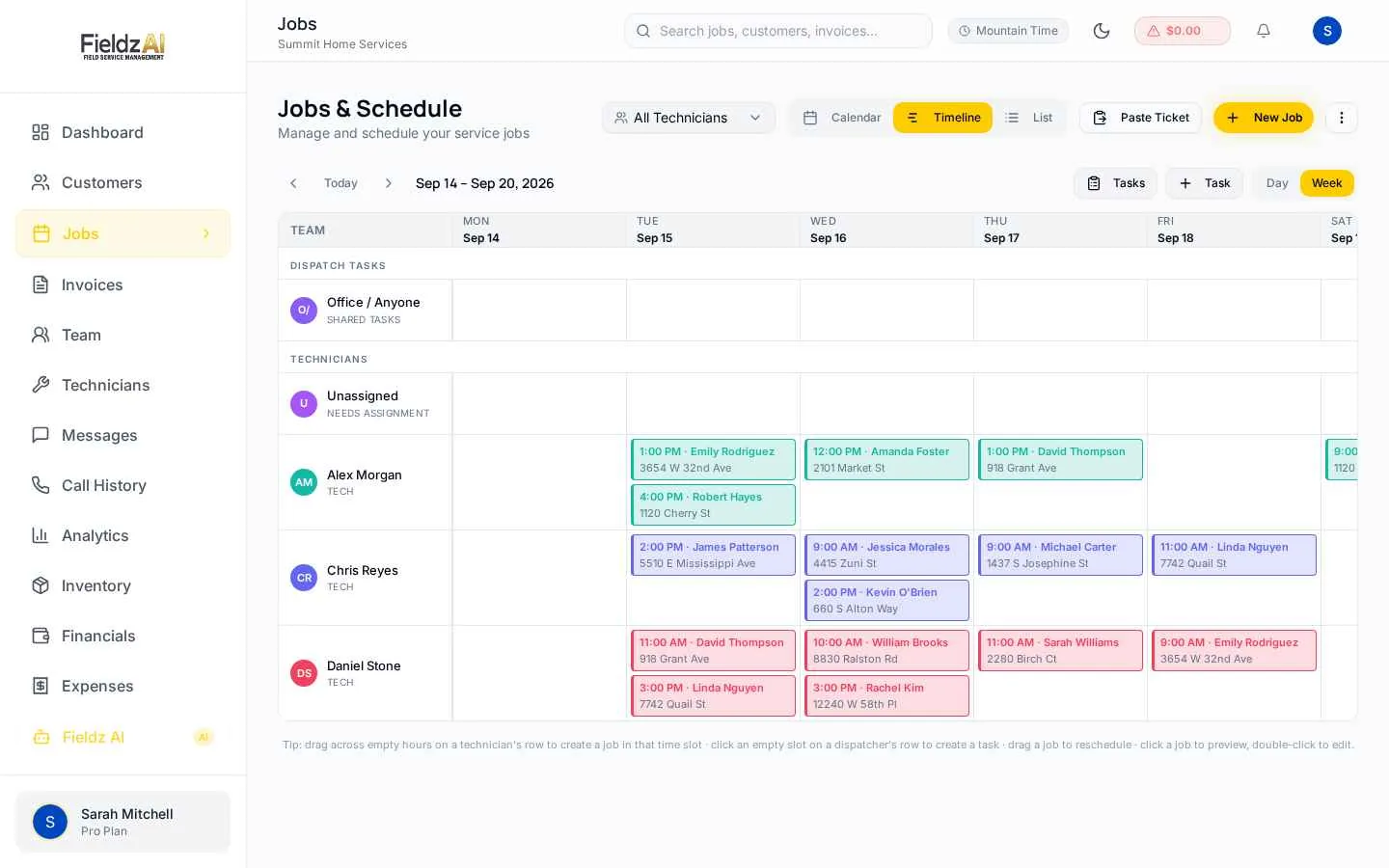
1. Sub-minute dispatch from an inbound call
In locksmith work, the customer standing outside their car calls until someone answers and commits. That means the winning workflow is: answer, see availability, dispatch — in under a minute. Evaluate any locksmith dispatch software by literally timing this flow in the trial: incoming call, customer created, job booked, technician notified.
A timeline view of every technician's day is what makes this fast. If the dispatcher has to open three screens to find who's free near the caller, you'll lose the race often enough for it to show up in revenue.
2. A phone system that's part of the product
Locksmith businesses live on the phone, so software with a bolted-on or third-party phone system creates a permanent seam: calls in one tool, jobs in another. Look for dispatch software with native business lines — incoming calls should pop the customer's history, missed calls should surface on the dashboard, and every call should log itself against the customer automatically.
3. Call masking for your technicians
This one is existential for locksmiths. When a tech calls ahead from a personal cell, the customer saves that number — and the next lockout may go straight to the tech, off your books. PIN-based call masking routes tech-to-customer calls through your business number, so relationships and callbacks stay with the company. If a platform treats masking as an enterprise add-on, price that in.
4. Payment collection at the door
Lockout jobs are small-ticket and same-day — exactly the jobs where mailed invoices die. Your techs need to charge a card on-site from their phone or text a secure pay link before driving off. Bonus points if the payment automatically closes out the invoice and updates the job's financials without office work.
5. Commission tracking that ends the Friday argument
Most locksmith shops pay techs a revenue split, and most track it in spreadsheets that are wrong by Thursday. Look for per-job commission calculation, a live owed-versus-settled balance per technician, and one-click settlements. Techs should be able to see their own ledger — transparency kills disputes.
6. Multi-location support you won't outgrow
Successful locksmith operations tend to expand city by city. If that's your trajectory, verify the software supports per-branch phone lines, location-scoped permissions for managers, and consolidated reporting — before you're locked into a platform that treats a second location as an enterprise sales conversation.
Fieldz AI was built around exactly this checklist — dispatch timeline, native phone with masking, field payments, commission settlements, and multi-location plans. Run a week of real lockouts through the free trial and time the workflow yourself.
Key takeaways
- Time the call-to-dispatch flow in any trial — under a minute wins jobs
- Call masking keeps customer relationships with your business, not your techs
- Demand per-tech commission ledgers and one-click settlements
Free download
Get the Field Service Pricing Guide
The 4 pricing models vendors use, a hidden-cost checklist, and a worksheet to calculate any platform's true monthly cost.
Instant download. No spam — unsubscribe anytime.