Invoicing
Invoicing software that gets you paid without chasing
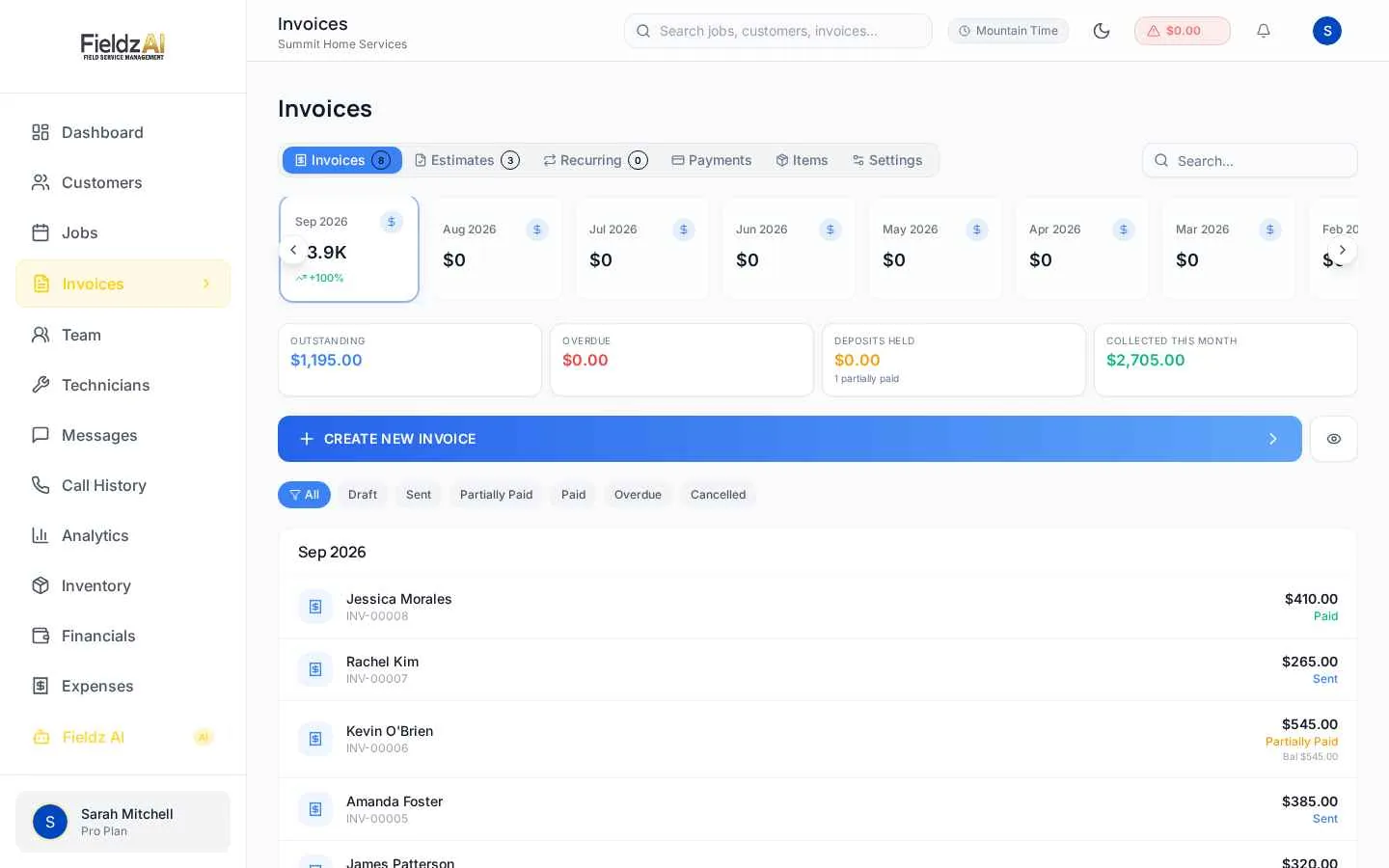
Send branded invoices by text or email with a secure pay button, accept deposits and partial payments, and watch statuses update in real time as money comes in.
No credit card required
Branded, professional invoices
Your logo, your terms, clean line items with discounts and tax — delivered as a link or PDF.
Built-in pay button
Every invoice can carry a secure Stripe checkout link, so paying takes one tap instead of a phone call.
Deposits & partial payments
Collect deposits up front and track partial payments with a full history on every invoice.
Live payment status
Draft, sent, partially paid, paid, overdue — statuses update automatically, with an outstanding-balance dashboard.
What you can do with invoicing in Fieldz AI
Invoicing — frequently asked questions
How do customers pay an invoice?
Through a secure Stripe checkout link sent by text or email, on the customer portal, or in person with your technician. Cash and check payments can be recorded manually too.
Can I take a deposit before the job?
Yes — request a deposit on any estimate or invoice. The remaining balance tracks automatically until it's fully paid.
Do invoices sync with my jobs?
Yes. Invoices link to jobs and customers, payments update job financials, and revenue flows straight into your financial reports.
Works even better with
Payments
Take card payments online or in the field with Stripe-powered processing: text-to-pay links, technician collection, deposits, tips, and automatic reconciliation.
Learn moreEstimates
Create professional estimates in minutes, send by text or email, collect e-signature approvals, and convert to invoices in one click.
Learn moreFinancial Reporting
Job-level profitability for field service: revenue, parts, technician commissions, processing fees, and tax — reported per job, per tech, and per location.
Learn moreTry invoicing free for 7 days
Every Fieldz AI plan includes the full platform — no add-ons, no feature gates.
No credit card required