Financial Reporting
Know exactly what every job — and every tech — earns you
Real job costing without spreadsheets: revenue, parts, commissions, fees, and tax broken down per job, per technician, per lead source, and per location.
No credit card required
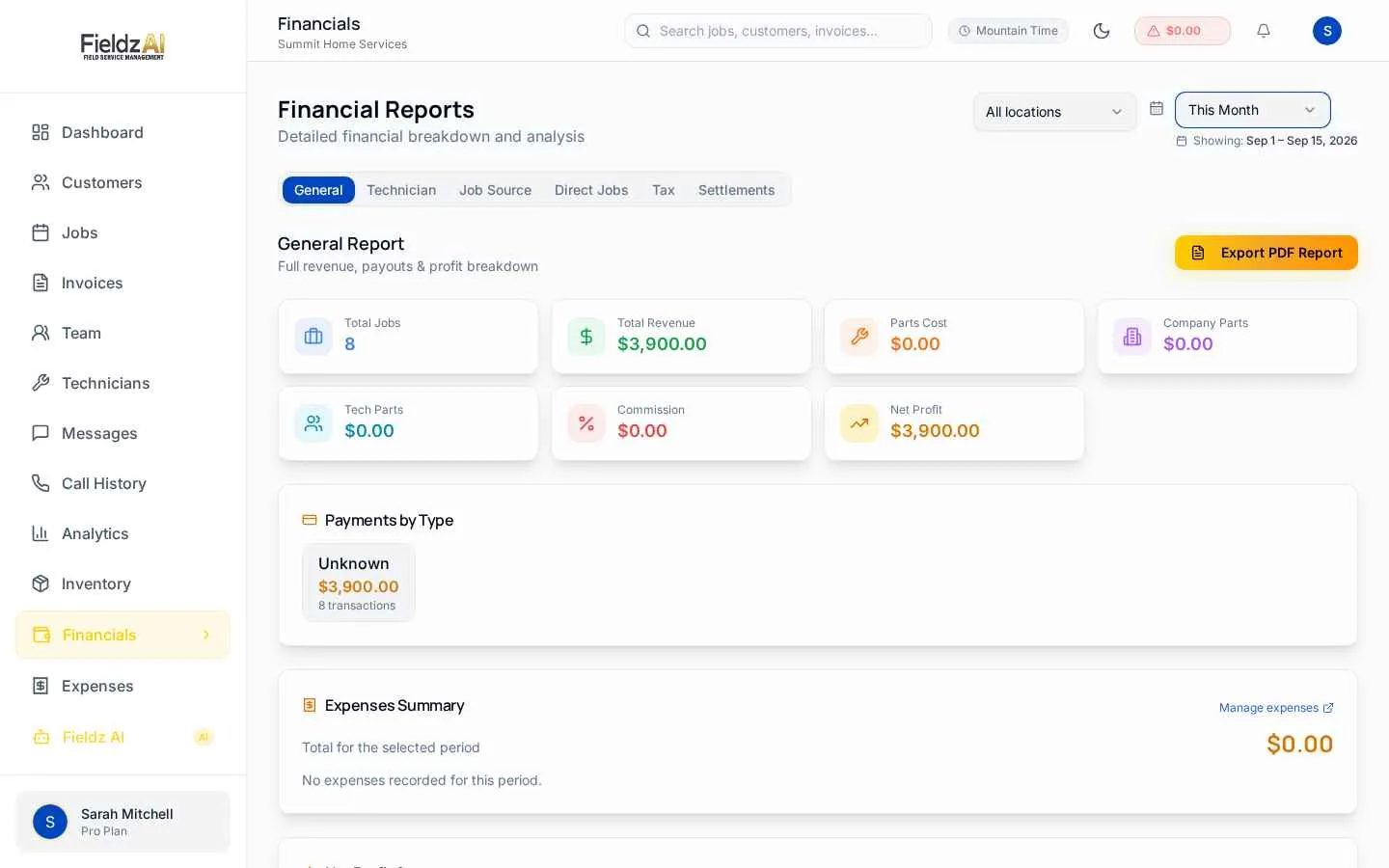
True job profitability
Every job shows revenue minus parts, commissions, and processing fees — so you know your real margin, not a guess.
Commission settlements
Per-technician commission tracking with one-click settlements and a clear owed-vs-settled ledger.
Tax handled correctly
Tax collected is tracked separately and never inflates revenue — your reports match what your accountant expects.
Trends you can act on
Compare periods, track lead-source performance, and watch operating results move on your dashboard.
What you can do with financial reporting in Fieldz AI
Financial Reporting — frequently asked questions
Can I track technician commissions?
Yes — set commission rules per technician, see what's owed in real time, and settle balances with one click. Settled amounts drop to zero automatically.
Does reporting handle sales tax correctly?
Yes. Tax is computed per service address, tracked separately from revenue, and reported in its own tax summary — so revenue is never overstated.
Can I see which lead sources make money?
Yes — job-source reports break revenue and profit down by where the job came from, so you know which marketing channels actually pay.
Works even better with
Invoicing
Professional invoicing for field service: branded invoices, online payments, deposits and partial payments, automatic receipts, and real-time status tracking.
Learn morePayments
Take card payments online or in the field with Stripe-powered processing: text-to-pay links, technician collection, deposits, tips, and automatic reconciliation.
Learn moreJob Scheduling
Drag-and-drop job scheduling software for field service teams. Calendar, list, and timeline views, technician availability, and automatic SMS confirmations.
Learn moreTry financial reporting free for 7 days
Every Fieldz AI plan includes the full platform — no add-ons, no feature gates.
No credit card required