Job Scheduling
Job scheduling software built for field service teams
See every technician's day at a glance, book jobs in seconds with drag-and-drop, and keep customers informed with automatic confirmations — all from one calendar.
No credit card required
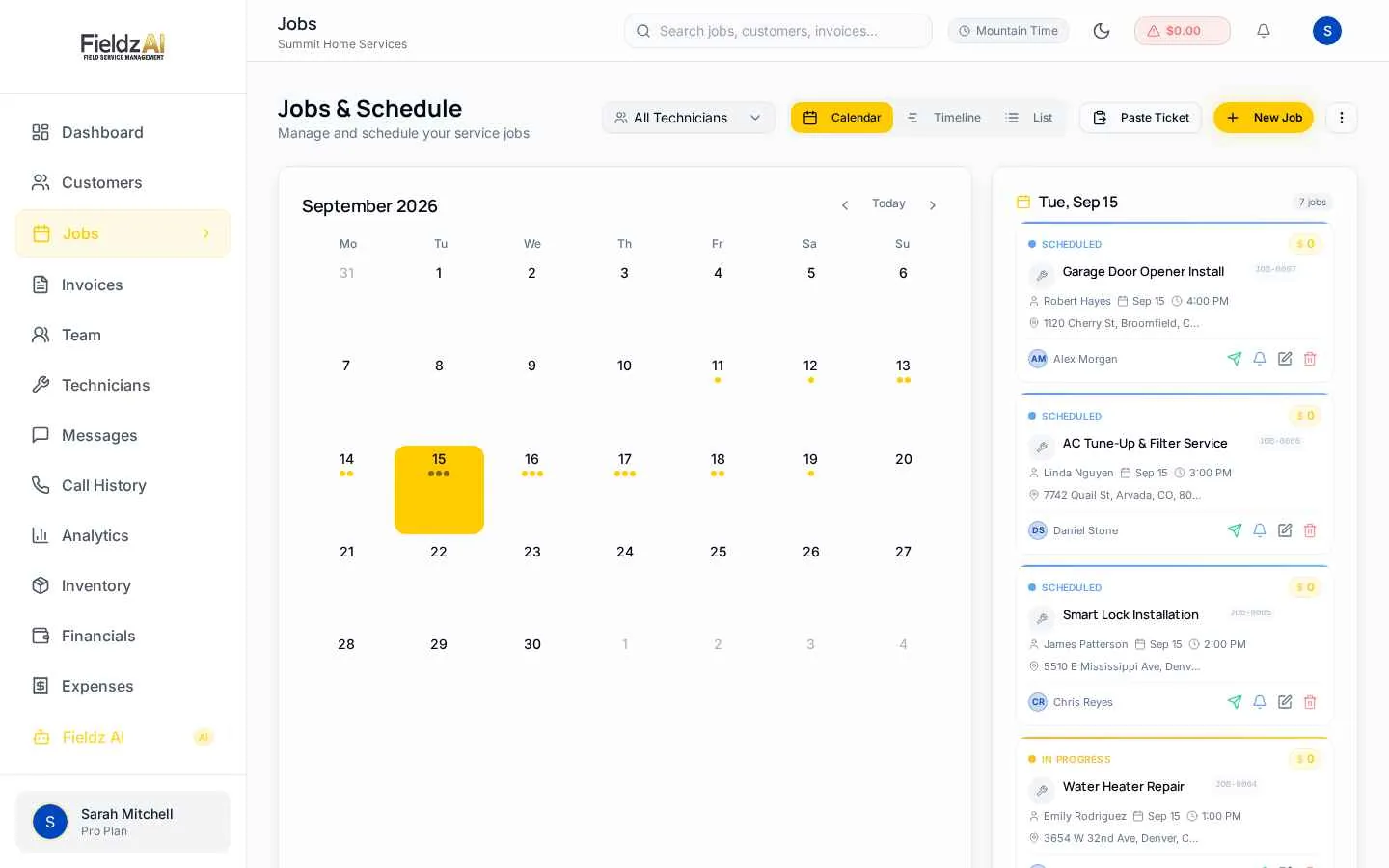
Three views, one truth
Switch between calendar, list, and timeline views — dispatchers, owners, and office staff all work from the same live schedule.
Book in seconds
Create a job with customer, address, time, and technician in one dialog. Drag to reschedule — the system handles the rest.
Automatic confirmations
Customers get SMS confirmations and reminders the moment a job is booked or moved, cutting no-shows without extra work.
Status at a glance
Color-coded statuses track every job from estimate to scheduled, in-progress, completed, and paid.
What you can do with job scheduling in Fieldz AI
Job Scheduling — frequently asked questions
Can I see schedules per technician?
Yes — filter the calendar by technician or use the timeline view to see every tech's day side by side, making gaps and conflicts obvious.
Do customers get notified when I book or move a job?
Yes. Automatic SMS confirmations and reminders go out when jobs are booked or rescheduled. Templates are fully editable.
Does scheduling work on mobile?
Yes — the schedule works in any mobile browser and in the Fieldz AI mobile app, and technicians see their own assignments in the technician portal.
Works even better with
Dispatch
Dispatch software for field service: assign the right technician, notify them by SMS and push, and track job progress in real time across your team.
Learn moreTechnician App
A mobile portal for field technicians: assigned jobs, navigation, status updates, photos, on-site estimates, payments, and earnings visibility.
Learn moreAutomations
Put reminders, follow-ups, and review requests on autopilot. Trigger SMS and email automatically on job bookings, status changes, and completions.
Learn moreTry job scheduling free for 7 days
Every Fieldz AI plan includes the full platform — no add-ons, no feature gates.
No credit card required