Dispatch
Dispatch software that gets the right tech to the right job
Assign jobs with full visibility into who's available, notify technicians instantly by SMS and push, and watch statuses update in real time as work happens.
No credit card required
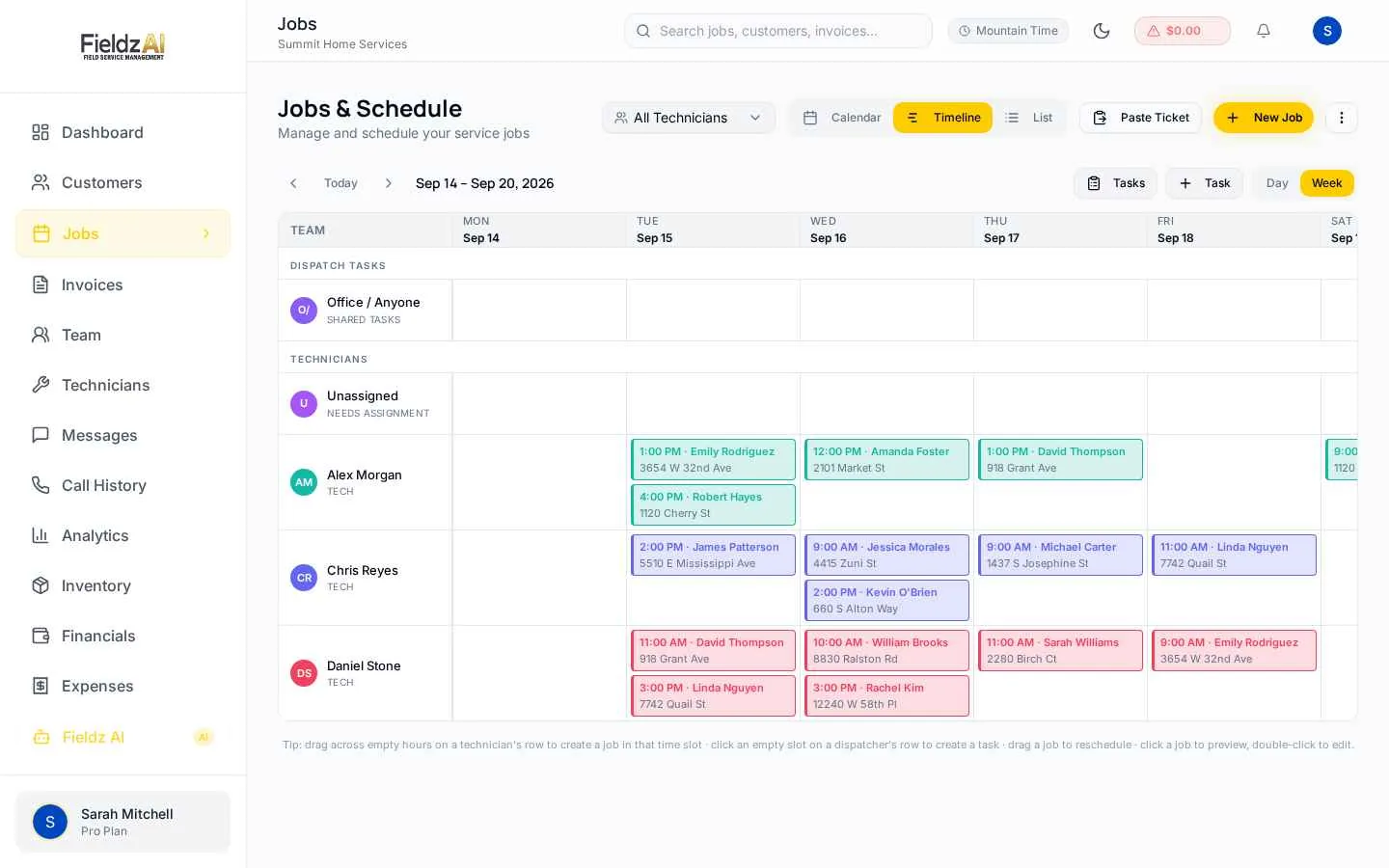
Timeline dispatching
The timeline view lays out every technician's jobs on one screen so you can slot new work into real gaps, not guesses.
Instant tech notifications
Assigned technicians get an SMS and mobile push with the job ticket — address, time, notes, and contact details.
Location-aware
Jobs carry full structured addresses with one-tap Google or Apple Maps navigation for your techs.
Live status flow
Techs update status from the field — you see accepted, en-route, started, and completed in real time.
What you can do with dispatch in Fieldz AI
Dispatch — frequently asked questions
How do technicians receive dispatched jobs?
They get an SMS with a job ticket link plus a push notification in the mobile app. The ticket shows time, address, customer contact, and job notes.
Can a technician reject a job?
Yes — the approval flow lets techs accept or decline with a reason, so dispatchers can reassign quickly instead of finding out on the day.
Can I dispatch across multiple locations?
Yes. Multi-location plans route jobs to the right branch, and branch managers can dispatch within their own location.
Works even better with
Job Scheduling
Drag-and-drop job scheduling software for field service teams. Calendar, list, and timeline views, technician availability, and automatic SMS confirmations.
Learn moreTechnician App
A mobile portal for field technicians: assigned jobs, navigation, status updates, photos, on-site estimates, payments, and earnings visibility.
Learn moreBusiness Phone
A built-in business phone system: dedicated numbers, in-app dialer, call recording, voicemail, smart routing, and calls matched to customers automatically.
Learn moreTry dispatch free for 7 days
Every Fieldz AI plan includes the full platform — no add-ons, no feature gates.
No credit card required